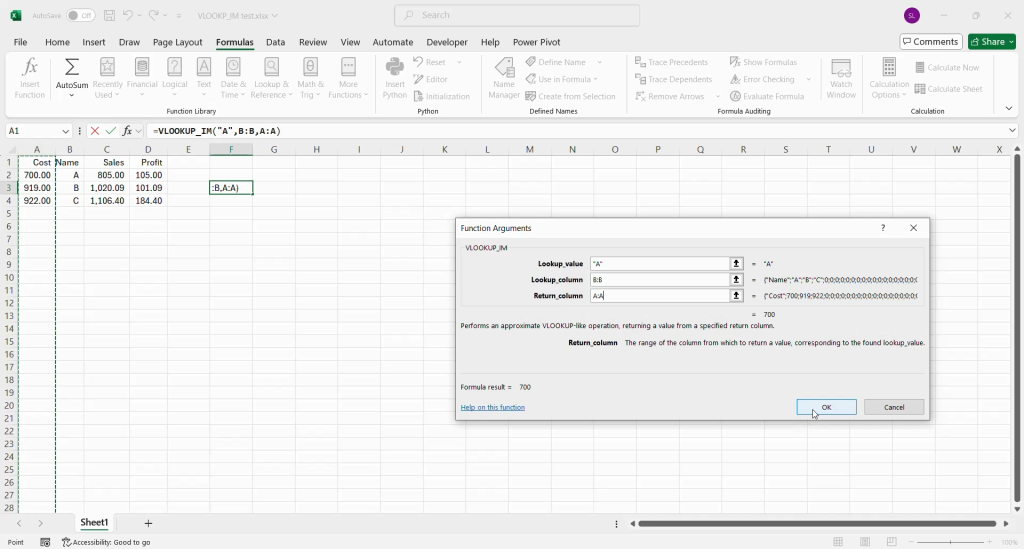

If VLOOKUP’s unidirectional and underperforming search has held you back, and INDEX MATCH’s multi-argument structure seems daunting, VLOOKUP_IM is your solution. This custom Excel VBA function is engineered to provide the advanced lookup capabilities of INDEX MATCH, including the crucial ability to search columns to the left of your lookup value with better performance, within a user-friendly VLOOKUP-like syntax. It’s a robust tool designed to streamline your data analysis by offering greater flexibility and reducing potential errors, all without exposing you to the underlying complexity.
The inspiration for this User Defined Function (UDF) arose from a common workplace challenge. Observing colleagues grapple with the intricacies of INDEX MATCH to bypass VLOOKUP’s restrictions, the thought occurred: why not abstract that complexity? By encapsulating the power of INDEX MATCH within a familiar VLOOKUP interface, VLOOKUP_IM was born. It simply requires the lookup_value, lookup_column, and return_column, making sophisticated lookups accessible to everyone.
Download: https://drive.google.com/file/d/1F1AbSC06mmXg2y_rcMolaT4_isQ2bmSK/view?usp=sharing